





Beautiful, very detailed , fast delivery 👌 xxx
Thank you so much for your kind words! We're glad to hear that you are pleased with the beautiful design and detailed craftsmanship of our Square Vertical Incense Burner. Our team works hard to ensure fast delivery, and we're happy to know that you had a positive experience with us. Thank you for your support!
I love owls, this little ornament with the larger and smaller owls together is just so nice.
All nicely packaged.
Would happily buy from this seller again.
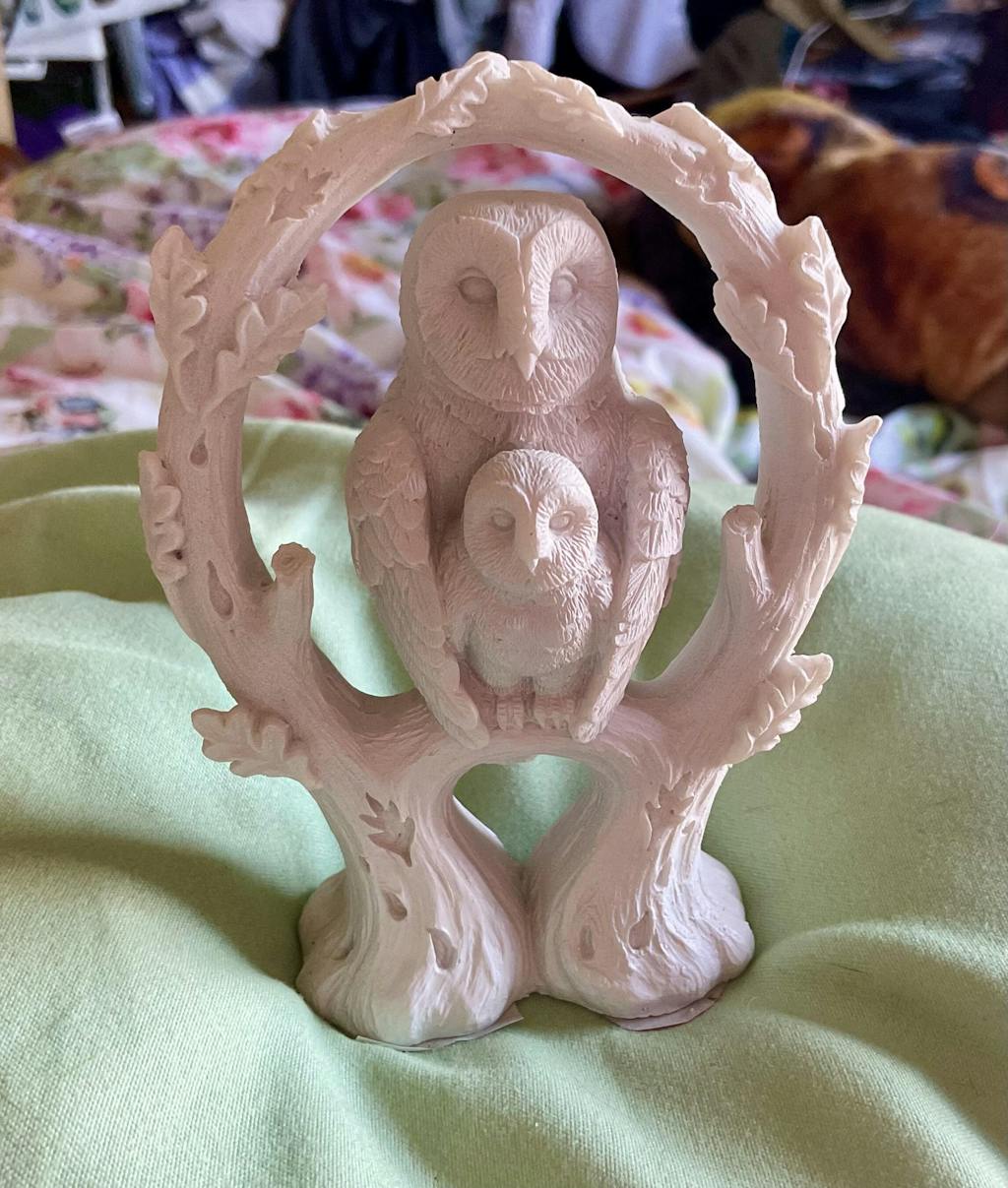
Hi there,
Thank you so much for leaving a lovely review! We're thrilled to hear that you love our NEMESIS NOW - EMBRACE - WHITE OWL figurine ornament. It's one of our favorites too!. We would be more than happy to have you as a returning customer. Thank you for choosing us!
Best,
Gifts4YouAll
Right, so I just got my hands on the Bike Chain Fidget Spinner from Gifts4YouAll, and I’ve got to say, I’m well impressed. I’ve tried a load of fidget toys before, but this one really takes the biscuit.
First off, it’s made properly. Unlike those other ones where the chain’s metal but the bits holding it together are plastic (bit dodgy if you ask me), this one’s 100% metal. Feels solid, you know? No messing about with cheap materials here—this thing's built to last.
The spinning’s lovely, so smooth and silent. Doesn’t make that annoying clicking noise that some other spinners do. I can spin it at work or when I’m just chilling without anyone giving me funny looks. Plus, it’s proper soothing. Just spin it for a bit, and my stress melts away, like I’m in a little zen zone.
Also, the design is cool—it’s like a little piece of bike gear you can carry around. The size is spot on too, not too big, not too small, just right for a nice little session of spinning when you need to clear your head.
Honestly, I’m well chuffed with this Bike Chain Fidget Spinner. If you’re after something solid, quiet, and proper relaxing, this one from Gifts4YouAll is a total winner. Don’t hesitate—just grab one. You won’t regret it!
Hi there,
Thank you so much for your kind words about our Bike Chain Fidget Spinner! We're thrilled to hear that you are impressed with its quality and design. We take pride in using only the best materials to ensure a durable and enjoyable fidgeting experience.
We're glad to know that the silent bearing and smooth spinning have helped you relax and destress. It's great to have a handy gadget like this to keep in your pocket for those moments when you need a little zen zone.
Thanks again for your review and for choosing our product. We appreciate your support and hope you continue to enjoy your Bike Chain Fidget Spinner!
Best,
Gifts4YouAll team
This Gremlins Gizmo collectible is seriously awesome! The 14.5cm size is perfect for display, and those 3D glasses add such a fun touch. It really captures Gizmo's iconic look, making it a must-have for any fan. The quality from Nemesis Now is top-notch, as always. Definitely a fantastic addition to any collection!
Thank you for your kind review! We are thrilled to hear that you are enjoying our Top Gizmo Collectible - Gremlins Gizmo with 3D Glasses. We agree, the 14.5cm size and 3D glasses add a special touch to this iconic character. Our team at Nemesis Now takes pride in delivering top-notch quality products, and we are happy to be a part of your collection. Thank you for choosing our brand!